 gtcalc
GTNH calculator and factory planner
GT New Horizons 2.8 · every GregTech recipe · free, no login
gtcalc is a free GTNH calculator and production planner for GregTech: New Horizons. Pick what you want to make, and gtcalc lays out the machines, links their inputs and outputs, and works out how many of each you need, at which voltage tier, and how much EU/t the whole line draws.
What it covers
- Over 160,000 GTNH recipes, exported straight from a GT New Horizons 2.8 instance: every GregTech machine map, GT++ and BartWorks machines, the Assembly Line, furnace recipes and fuels.
- Chanced outputs (byproducts at 11.1%, 0.56% and so on) are part of the maths, so ore processing lines come out right.
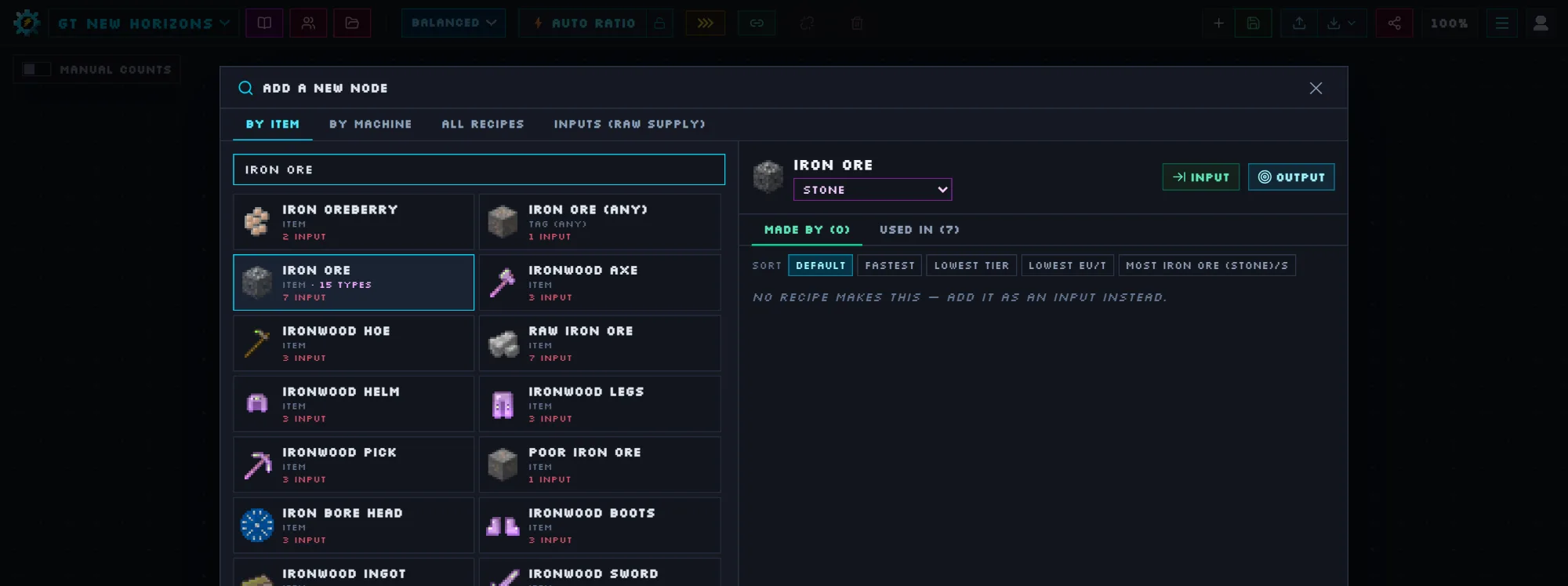
- Ore types: Iron Ore on stone, netherrack, basalt, Mars or Mercury is one entry with a type picker, instead of fifteen look-alike results.
- Overclocks from ULV to MAX, coil heat for the Electric Blast Furnace, programmed circuits, and parallel options for multiblocks.
- Best Route plans a chain all the way down to raw resources, and Auto Ratio balances every machine in one click within your EU/t budget.
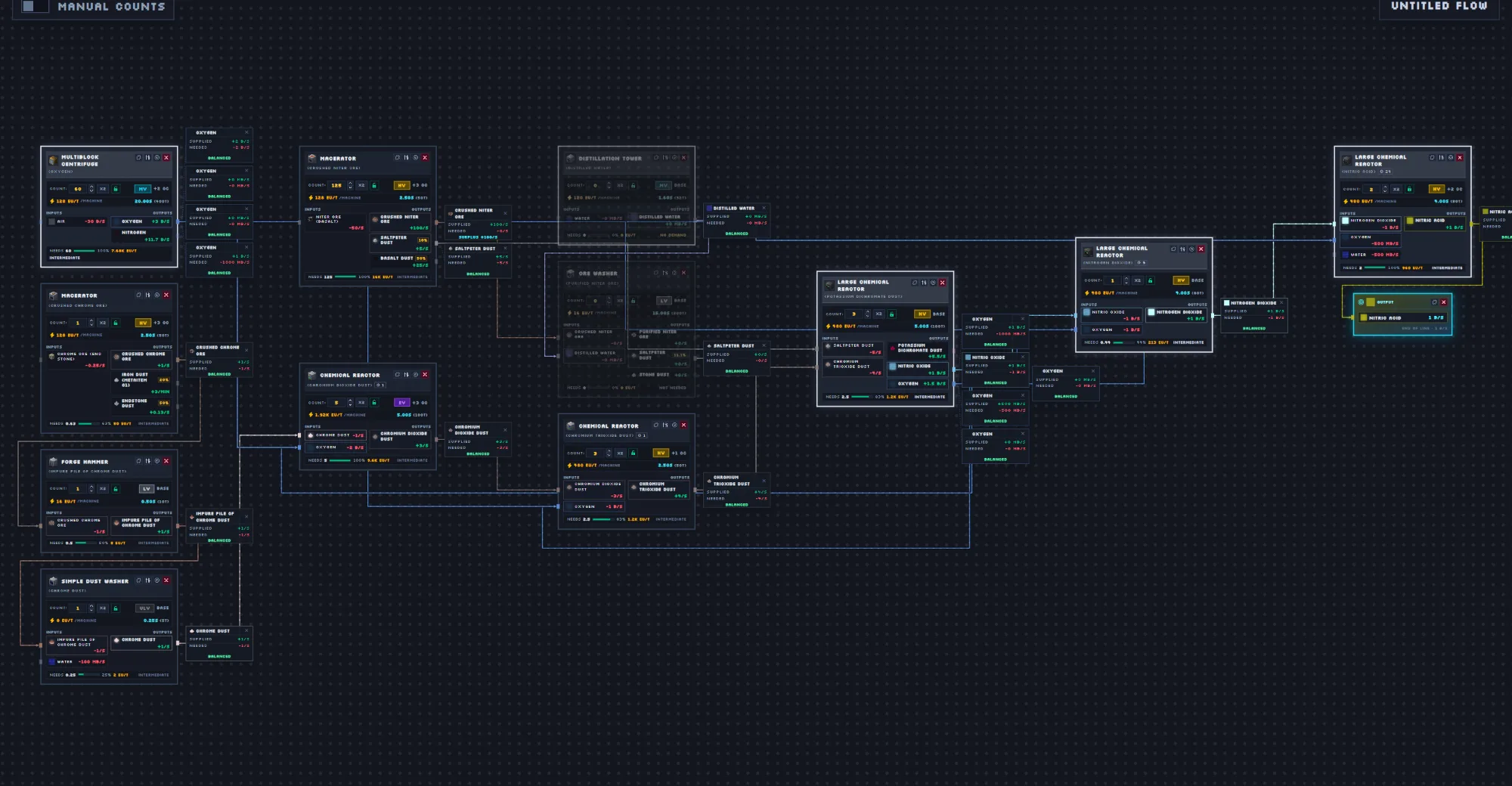
How to plan a GTNH line
- Open the planner and press Add a new node. Search for the item or fluid you want, for example Nitric Acid or Polyethylene.
- Add it as an Output and set the rate you need (per second or per minute).
- Press Best route. gtcalc picks recipes for every input it can make, and leaves the rest as raw inputs.
- Check the Balances panel for what the line needs and what it makes on the side, then share the flow or export it as an image.
Community flows
Browse production lines other GTNH players have shared, vote on them, copy one into your own flows and change it. Example flows for sulfuric acid, styrene, lubricant, titanium and more are there to start from.
Other modpacks
gtcalc also plans GregTech CEu (GTCEu) modpacks, including Sky Greg. Switch packs from the menu at the top left of the planner. New to it? Read the guide.